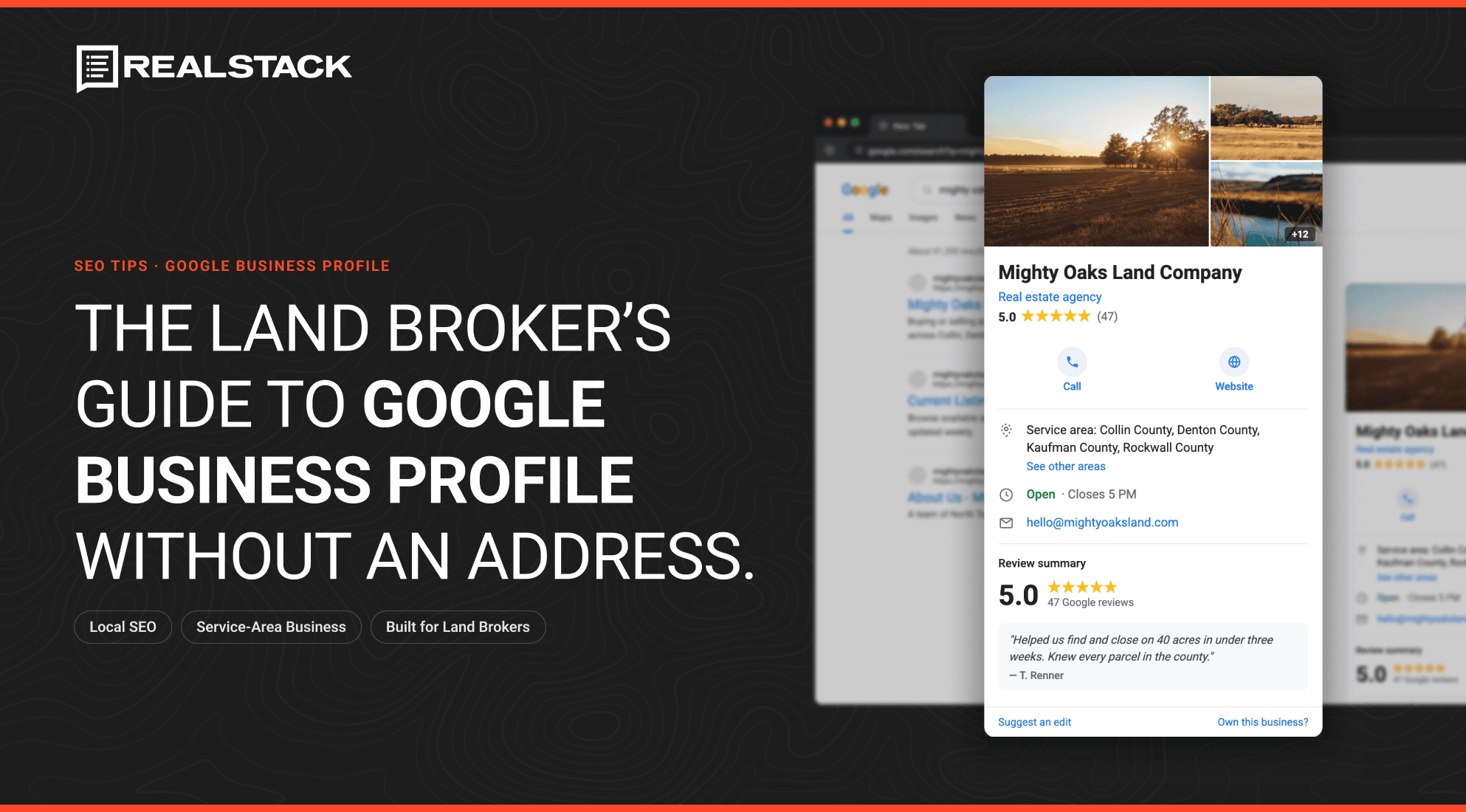

Most land and ranch brokerages don’t have a storefront, and that’s costing them visibility on Google. The office is a truck cab, a home desk, and a phone that never goes off the clock. That works fine for closing deals. It works against you the moment a buyer types “land broker near me” into Google, because most brokers assume no public address means no Google Business Profile, and no Google Business Profile means invisible on the map.
That assumption is wrong. Google built a version of the Business Profile specifically for businesses that operate this way, and land brokerages are a near-perfect fit.
What a Service Area Business Actually Is
Google splits businesses into two categories: storefronts, which customers visit, and service-area businesses, which travel to customers. A land brokerage without a public office falls into the second group, alongside plumbers, mobile vets, and home inspectors.
A service area business profile works almost identically to a standard one. It shows up in Google Search and Google Maps, it carries reviews and photos, and it can post updates. Instead of a street address, it displays the counties, cities, or regions where the brokerage works.
Your base address still matters. Google uses it behind the scenes to confirm the business is real and roughly where it says it is. It just never appears on the public listing.
Why This Matters for Land Broker Lead Generation
Local search carries more weight in real estate than most brokers give it credit for. According to the National Association of Realtors’ 2025 Profile of Home Buyers and Sellers, 88% of buyers purchase through an agent or broker, and most buyers interview only one before deciding who to work with. First impressions happen fast, and increasingly they happen on a map.
Whitespark’s 2026 Local Search Ranking Factors survey, analyzed by BrightLocal, found that Google Business Profile signals now account for roughly 32% of Local Pack rankings. The Local Pack is the three-listing block that sits above organic results on a map search. Reviews carry another 20%, up from 16% just three years ago. Between the two, over half of what decides whether your brokerage shows up comes down to an unfinished profile.
A complete profile earns you more than a spot on the map. It gets you:
- A visible star rating and review count right in the search results
- One-tap calls and driving directions straight from the listing
- A Knowledge Panel showing your hours, website, and contact details
- A place to post new listings, price drops, and market updates
David Hawley at Mossy Oak Properties has pointed to map search as one of the factors that kept his brokerage’s search rankings climbing. That’s not a coincidence. A profile and a website built to reflect where you actually work reinforce each other. One doesn’t do much without the other.
Setting Up Your Google Business Profile as a Land Brokerage
The setup itself is short.
- Start at business.google.com and sign in, or create a profile if you don’t already have one.
- Enter your brokerage name exactly as it appears on your website and signage. No taglines, no city names tacked on.
- Select “service business” when Google asks how you interact with customers. This routes you into the service-area setup instead of the storefront one.
- Choose one category. Google’s own guidance is to pick the fewest categories that describe your core business, not the most. “Real estate agency” covers it. Adding more doesn’t broaden your reach, and it can actually confuse Google’s classification of you.
- Set your service area by county, city, or ZIP code, not by drawing a radius. More on the specifics below.
- Verify your business. For a service-area business, Google’s video verification requires one continuous, unedited recording. For a land brokerage, that typically means your branded truck or trailer, land signage with your business name, your MLS or CRM open on a laptop, and physical documentation like your real estate license or a business permit.
For the click-by-click walkthrough with screenshots, our team put one together in the REALSTACK Help Center, but read this first so the steps actually make sense. This article is about the strategy behind the setup, not a replacement for it.
Choosing Your Service Area Boundaries
Google caps a profile at 20 service areas, and the total area you claim shouldn’t stretch more than roughly two hours of driving time from your base. You can’t set a simple radius. You have to name the actual cities, counties, or ZIP codes.
For a residential agent working in one metro, that’s rarely a problem. For a land brokerage, it’s the part most brokers get wrong. Rural counties are enormous and thinly populated compared to a suburban ZIP code. Claiming ten counties you barely touch reads as sprawl, not reach. Google and buyers respond better to a brokerage that owns five counties with real listings, real local knowledge, and real reviews than one claiming twenty it can’t back up.
This is the same logic behind how REALSTACK structures land brokerage websites: location pages built around the counties and regions where you actually have inventory, not blanket claims to territory you don’t serve. A tight, accurate service area on your Google Business Profile and a map search built around the same real markets reinforce each other instead of working against each other.
Getting the Most Out of the Profile After Setup
Setup gets you on the map. It doesn’t keep you there. A profile that sits untouched after verification underperforms one that gets regular attention, and the data backs up which pieces are worth the effort.
- Fill out every field. Website, phone number, hours, and a plain description of what you do and where you do it. Primary category is the single highest-weighted individual local pack ranking factor in Whitespark’s 2026 survey, so get that one exactly right before worrying about anything else.
- Collect reviews, and keep collecting them. BrightLocal’s 2026 Local Consumer Review Survey found that 97% of consumers read reviews before choosing a business, and 47% won’t consider one with fewer than 20 reviews. Recency matters too. 74% of consumers only weigh reviews from the last three months, so a handful of five-star reviews from two years ago won’t carry the profile on its own. Send clients the direct review link. Ask right after closing, while the experience is fresh.
- Respond to every review. The same survey found 89% of consumers expect a response, and generic, copy-paste replies actively put off half of them. A short, specific reply beats a templated one every time.
- Add real photos. Sold properties, team photos, and shots of the land you cover give buyers a reason to trust the listing is current and active.
- Post when you have something worth posting. New listing, price change, market update. Whitespark’s survey found post volume alone isn’t a heavy ranking factor, so don’t treat this as a numbers game. Treat it as keeping the profile honest about what your brokerage is doing right now.
Keeping the Profile Accurate as the Brokerage Grows
Service areas aren’t a one-time decision. As a brokerage picks up new counties or expands into a new state, the profile needs to catch up. An outdated service area either undersells where you actually work or, worse, claims ground you no longer cover with the attention it deserves.
Treat the profile the same way you’d treat your land brokerage website: a living asset that reflects the business as it is today, not as it was when you first verified it.
Frequently Asked Questions
Can a real estate brokerage set up a Google Business Profile without a public office address?
Yes. Google’s service area business option is built for exactly this. It lets a brokerage list the cities and counties it serves instead of a street address, while still appearing in Google Search and Maps for those areas.
How many service areas can a Google Business Profile have?
Up to 20. Google requires you to name specific cities, ZIP codes, or counties rather than draw a radius, and the total coverage should stay within roughly a two-hour drive of your base location.
What’s the difference between a storefront business and a service-area business on Google?
A storefront business displays its physical address publicly because customers visit it. A service-area business hides its address and instead shows the areas it serves, since it travels to the customer rather than the other way around.
Do land brokerages need to verify with a video?
Video verification is the standard method for service area businesses. The recording needs to show proof of location (street signs or landmarks near your base), proof you operate the business (a branded vehicle or your MLS/CRM on screen), and official documentation like a business license.
How far can a service area extend from a brokerage’s base address?
Google’s guidance keeps the total service area within roughly two hours of driving time from your base. Claiming territory well beyond that tends to weaken rather than strengthen the profile’s performance.
Get Your Land Brokerage Found
A Google Business Profile is one way to show up where land buyers are actually searching. It works best when paired with a website built the same way, centered on the real counties and regions you cover, with listings, market data, and local content that back up what the profile claims.
If you want your profile set up so it actually ranks in the counties you work, request a demo to see how a REALSTACK site handles map search and local visibility, or take a look at our land broker SEO work to see what that looks like in practice.
Sources and References
Every statistic, platform behavior, and setup requirement cited above is drawn from the sources below. Links open in a new tab.
- National Association of Realtors. 2025 Profile of Home Buyers and Sellers.
- Whitespark. 2026 Local Search Ranking Factors, analyzed by BrightLocal.
- BrightLocal. 2026 Local Consumer Review Survey.
- Google Business Profile Help. Guidelines for Representing Your Business on Google.
- Google Business Profile Help. Service Area Businesses.
- Google Business Profile Help. Verify Your Business with a Video Recording.
- Google Business Profile Help. Manage Your Business Category.