Simple Lead Management
Finally a way to manage leads for land brokers

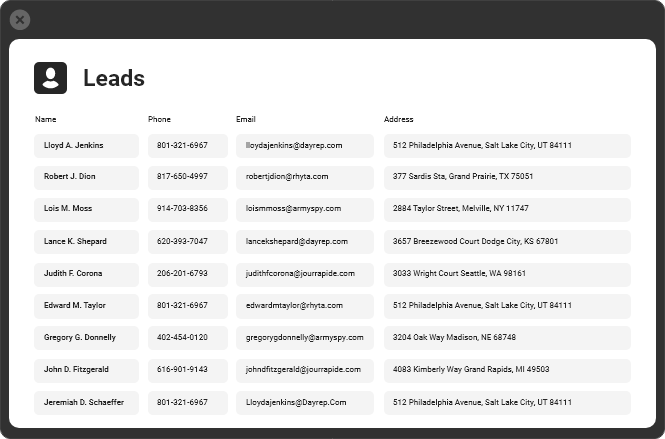
Save Everyone's Leads in One Place
Your brokerage paid hundreds, if not thousands, of marketing dollars for that lead to convert on your website. Why not automatically save that lead in a lead management system for future marketing and reference?
Gone are the days of leads going into an agent’s email inbox, never to be seen again. Your website leads are automatically saved in your REALSTACK profile and associated with a listing they were interested in. You can also bulk upload your leads list or enter them directly.
Even more, you can download your leads at any time and add them to your email marketing list! Ask about our integration with MailChimp to automatically feed your leads to this email marketing platform.

Lead History Profile
When you look up a contact, you’ll be able to see a complete history of any activities. This allows you to look back at the activity history of showings, meetings, listings they’ve been interested in, offers, and more in an instant.
In many situations, an activity is automatically saved for a lead each time they take action on your website. Users can also enter activities to document calls, meetings, showings, text messages, and much more.
A Lead's Interested Properties
Knowing which properties or types of properties this lead has been interested in over time can be highly valuable in serving them. In REALSTACK, you’ll be able to see what listings they downloaded brochures, contacted a listing representative, or called into your office to discuss.
Set To-Dos for Yourself and Others
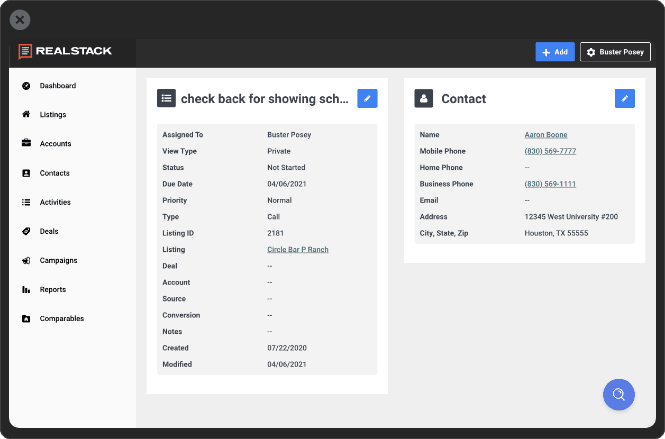
You just finished up a meeting and need to follow up with a prospective seller in 2 weeks. With REALSTACK’s simple lead management, you can set a to-do item to appear on your list of things to do for that day. You’ll now follow up on time and make an impression on the prospective seller.
What if a phone call comes into the main office about a property, but the agent is unavailable? Log the call in REALSTACK as an activity and assign a to-do item to the listing representative for that property. The agent will receive an email notification about the to-do assignment, and it will appear on their incomplete to-dos list in REALSTACK.
Track your Deals Pipeline
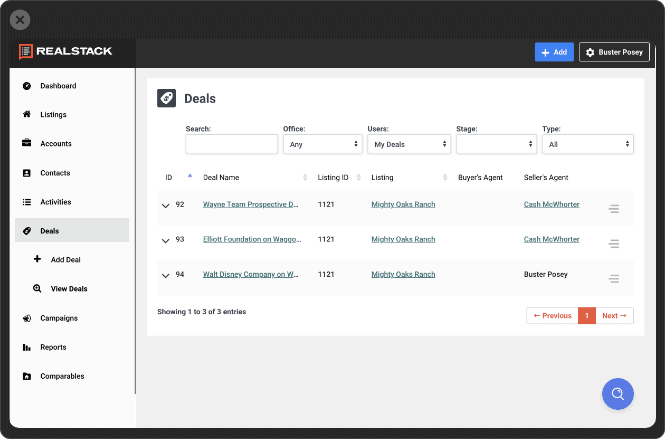
Track your offers through the entire sales cycle. When you receive an offer on a property, you can add a deal to the listing for great record-keeping, reporting, and being more efficient at scale. You can also track your pipeline of income or brokerage revenue as a result of knowing the value of all your deals set to close soon. Deals can be tied to a listing, a lead, other brokerage agents, and more.
The deals tracking system within REALSTACK can also be used for transaction management and reporting. Here are just a few of the items it tracks: buyer rep, seller rep, title company, gross commission, net commission, commission splits, co-listing fees, and much more.
Arrow Messaging System
Arrow Messaging is a built-in communication tool within REALSTACK that helps you stay connected with prospects and keep conversations moving without slowing down your workflow. Quickly follow up, share property information, and maintain momentum while interest is high, all from one place. It’s a simple way for land brokerages to communicate more efficiently and ensure no opportunity slips through the cracks.
By streamlining outreach in REALSTACK, Arrow Messaging helps your team respond with confidence and guide prospects to the next step. The result is clearer communication, stronger engagement, and a smoother path from first inquiry to closed deal.
Learn more about Arrow Messaging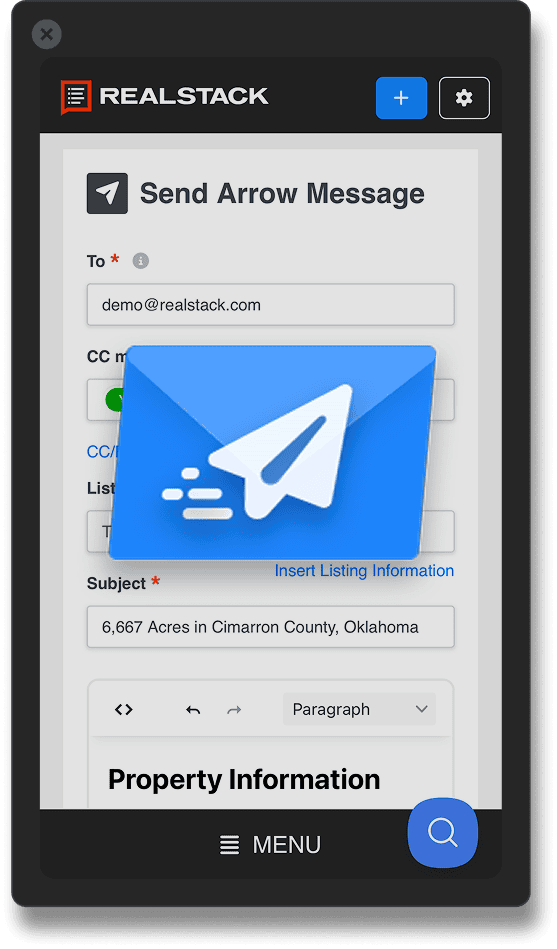
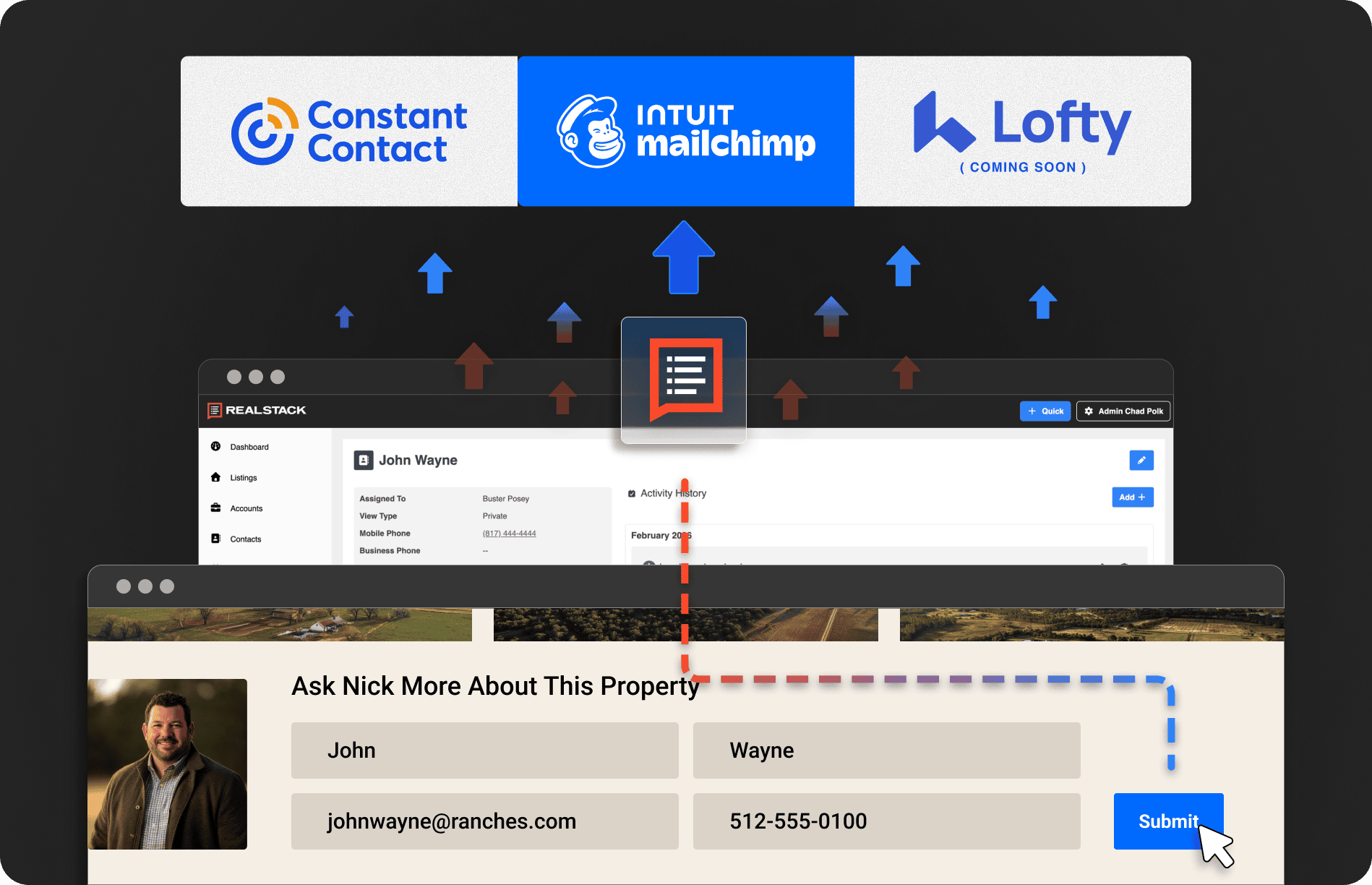
Simple Email Marketing Integration
REALSTACK connects with leading email marketing platforms so new website leads can be automatically added to your email marketing contact lists. Instead of exporting contacts or updating lists manually, lead information flows directly from the REALSTACK app into your email platform. This helps ensure your marketing audiences stay current as new inquiries come in.
With organized contact lists that update automatically, land brokerages can consistently send listing announcements, market updates, and brand campaigns to the right audiences. The result is a simpler way to manage email marketing, maintain regular communication, and keep your brokerage top-of-mind with buyers and sellers.
We work with a broad spectrum of real estate, from farm and ranch to rural residential and commercial. The MLS IDX solutions from REALSTACK gave us the perfect mix of listings that matched our agents' needs to help buyers find the right property on our website regardless of property type.
I couldn't be happier with REALSTACK. The team was great to work with. Their efficiency and communication made it easy to get my site up and going quickly. They have been fast to follow up when we've had questions. All in all, I can't think of anything more that I would want out of REALSTACK.
Our investment in a REALSTACK land brokerage website played a key part in us becoming the top producing brokerage in all of Mossy Oak Properties.
We are so grateful to the talented and professional team at Realstack! Cannot thank them enough for creating exactly what our dream was!
Since starting with REALSTACK, we’ve grown from 2 partners to 6 agents. They nailed our brand standard with this website.
I consider my brokerage a strong marketing machine of exceptional hunting and fishing properties in the Rocky Mountain West region, but REALSTACK was the missing piece of the puzzle. Shortly after launching our website we instantly received leads that we didn’t know we were missing from our previous website.
As a creative, I appreciate working alongside like minded professionals. REALSTACK built what I had envisioned for our brokerage website and provides me the flexibility to manage my website to maximize our marketing campaigns for properties.
From the planning and design phase to now, the support we have received has been amazing. I like how we were "walked through the process" step by step. I have worked with a lot of web developers and this experience has been by far the best.
The MLS IDX for land brokers is proving valuable for us. One benefit is the ability to send MLS listing links from our website to buyers that we are actively working with instead of sending them to our MLS website. A much richer experience and brand impression for clients.
The user experience that map search gives our clients across the country is unmatched on both desktop and mobile. We were able to implement the map search on mossypoakproperties.com and continue to grow our search rankings.
We cover an entire state and are members of multiple MLSs. We also handle both land and residential properties in rural areas. REALSTACK delivered precisely what we needed for a land-specific IDX website with the MLS component.
I absolutely LOVE and am OBSESSED with my website design! This is fantastic!
I've been so impressed and satisfied with our re-branding initiative with REALSTACK that I'll never revert to me designing things I don't understand. They simply have a much greater understanding, and I want to lean on that experience for all my future designs.
I coordinate over 30 agents and 100 properties at any given time. REALSTACK gives me the tools to easily merchandise our rural properties and integrates with many land industry sites so I can manage them in just one system.
REALSTACK elevated our online brand overnight with our new website. Our land brokerage website now matches the brand standard of the high end properties we represent and our experienced agents.
Not only did they build our website, but they gave us the tools to manage our leads both internally and with our agents in the field.
We set out to make a significant technology leap forward with a new website. REALSTACK made it possible for us to meet that objective. Our agents and clients have great things to say about our new website. We began getting leads through our new website within the first few days. The value we anticipated from REALSTACK software and the land broker website has definitely been validated.
REALSTACK quickly became trusted advisors to our business. Our land broker website now is one of the best in our industry. We are consistently acquiring leads and portraying the exact brand we want to be known for. Their ongoing marketing campaigns are very professional and productive as well. As a result, prospects are consistently interacting with our brand and our brokers on ranch listings. Their firm has definitely contributed to our revenue and market position.
Since moving our land broker website over to REALSTACK, our lead volume has increased significantly. Super happy with the result of that decision. Additionally, the feeds to our online advertising websites have saved me endless hours of work and allowed us to manage listings from one system.
The team at REALSTACK is the "real deal", all marketing bases are covered in a systematic way - and the results for our company are proof that their system approach works!
We have worked with REALSTACK for many years and have scaled up our brokerage as a result, with hundreds of listings across Missouri and the Midwest. The map search display and user experience visually demonstrate our size and position in the marketplace in addition to creating an immersive experience with our clients and prospects.
We just looked over the website, it’s BEAUTIFUL! We’re ready on our end to launch. I can’t say enough how much we appreciate the speed and thoroughness y’all showed in getting everything up and running. We definitely made the right choice going with REALSTACK!
Changing to REALSTACK has been one of the best things Great Southern Land has done in years. Everything is simple and seamless. For the first time in years, I do not have to check LandWatch to see if my feeds are going through correctly.
I've used another platform in the past to manage my listings, and have seen what other brokerages use, so I can honestly say, "This is the best platform I've used or seen!" The team at REALSTACK are eager to help, offer great support, and have exceeded my expectations. Their system is incredibly efficient, and allows me to enter a new listing in a third of the time it took with the previous software I used. I highly recommend REALSTACK to any brokerage that's "searching for a better platform!" It's an easy system to learn, and customer support is excellent!
You have been the most professional company we've ever worked with. It's been so smooth and easy to hand over our trust to you.