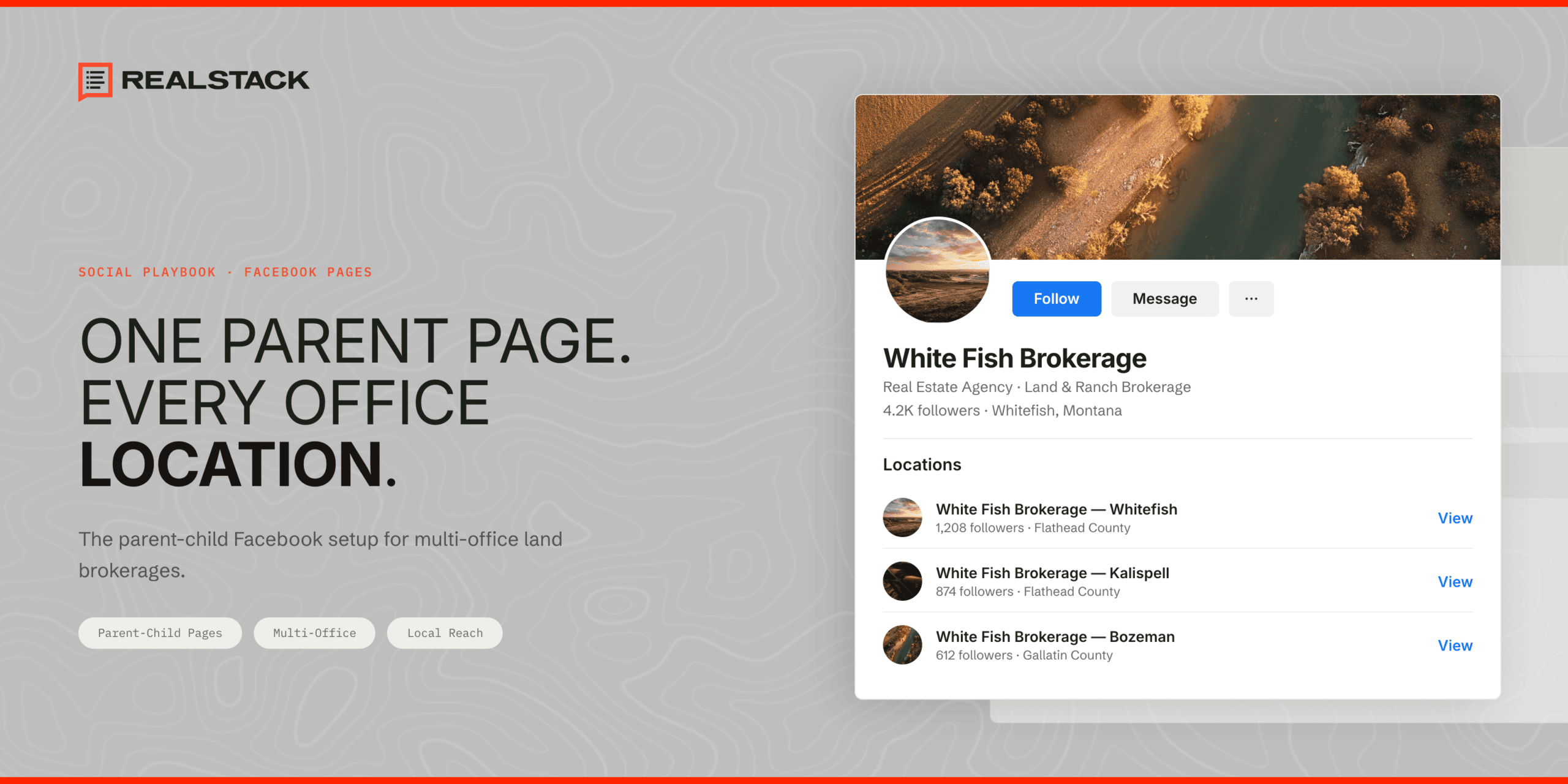

Say your brokerage runs three offices: Dallas, Houston, and Austin. You have one Facebook page, built around the Dallas headquarters, with a few thousand followers and a stack of strong reviews. Now you want the other two offices on Facebook too. Do you open a separate page for each? Keep everything on the original? Both create problems. Facebook has a third option built for running one business page across multiple locations. It is called parent-child, now labeled Locations inside Business Suite. One brand page sits on top. A connected page for each office sits underneath. This guide covers how it works, what survives the setup, and the parts that trip up land brokerages specifically.
Three ways to structure multiple offices on Facebook
Three setups actually work. None is free of trade-offs.
The first is one page for everything. It is the easiest to run, and for a single-office shop it is fine. With multiple offices it falls apart on discovery. Someone searching for your Houston office finds your Dallas-flavored page, or nothing local at all. You also can’t run ads aimed at one office’s region. Every office shares a single review section. A complaint about one location sits right next to praise for another.
The second is a separate, independent page for each office. Each gets its own identity, which sounds clean. It rarely stays that way. The pages aren’t linked, so they drift. One office updates its cover photo; another hasn’t posted since spring. Admin access scatters across whoever happened to set up each page. And there is no single dashboard showing how the offices compare.
The third is the parent-child structure. One brand page on top, a connected page for each office below. You get local discovery and brand control at the same time. For most brokerages with two or more offices, this is the setup worth the effort.
| Approach | Local presence | Brand consistency | Per-office reviews | Admin control |
|---|---|---|---|---|
| Single page | No | Yes | No | Simple |
| Independent pages | Yes | Weak | Yes | Fragmented |
| Parent-child | Yes | Yes | Yes | Unified |
Why parent-child wins for brokerages
Here is what the structure buys you.
- Local discovery. Each office page can surface when someone nearby searches Facebook or taps “near me.” Your single brand page can’t do that for five different markets at once.
- Ads tied to a region. You can target ads to the area around one office. That matters when your Houston office works South Texas ranches and your Austin office works Texas Hill Country homes on acreage. Same brand, very different buyers.
- Reviews per office. A buyer about to drive three hours to walk a parcel checks the page for that specific office. Not corporate. The recommendations on the local page are what they read. In BrightLocal’s 2025 Local Consumer Review Survey, 40% of consumers said they use Facebook to read reviews, so a blank office page is a real cost.
- One set of admins, many pages. Whoever admins the parent page can manage every child page beneath it. You set permissions once.
- Brand stays consistent. Every office page carries the same logo, colors, and voice, because they all hang off the parent.
What you keep and what you lose in the conversion
This is the part the other guides gloss over. Read it twice before you touch anything.
When you convert, your existing page becomes the parent. The good news: your followers stay. Those few thousand people who liked the Dallas page are still there. So is every post you have ever published, and so is your admin access.
Two things change. First, Facebook strips the address off the parent page and moves it into a brand-new location page for that office. That part is expected, and Business Suite walks you through it.
The second change is the one that costs you. Your recommendations and your rating do not come along.
It helps to know why. Facebook killed star reviews back in 2018 and replaced them with Recommendations, the simple “do you recommend this business” prompt. Your visible rating is now a blend of those old stars and the newer recommendations. When the page flips to parent, that whole history detaches. Say the Dallas page sits at 4.8 from 47 recommendations gathered over five years. After conversion, the new Dallas location page starts at zero. Blank. Facebook does not move them, and there is no ticket you can file to bring them back.
What makes it worse: the warning is easy to miss on the confirmation step. Plenty of brokerages have wiped out five years of social proof without registering what they agreed to.
So protect it first. Before you convert, screenshot every recommendation and the rating. All of them. Those screenshots become testimonials for your site and your posts later. On a RealStack site, that proof gets a permanent home. Every agent gets an entity page that carries client reviews with the reviewer’s name. Your social proof lives on property you own, not on a platform that can wipe it in one click. Then line up a review push for the week after conversion, so the new location page is not sitting at zero for long.
The land brokerage nuance most guides miss
Standard advice on this structure comes from retail. It assumes each location serves the people around it. The Dallas store sells to Dallas. Fine for a coffee chain.
Land brokerages break that assumption. Your Dallas office might hold the listing on a 200-acre Oklahoma ranch. The office is in one place; the dirt is somewhere else entirely. Offices are defined by the agents and the spot where clients sit down to talk, not by where the land happens to sit.
The fix: build each office page around the office, not the inventory. Put the agents front and center. List the address, the phone, the hours, the room where a buyer signs paperwork. Run the actual listings through the parent brand page instead. Do not pin a Montana property to your Texas office page just to fill it.
One exception. If two offices genuinely chase different buyers, say one focused on recreational hunting tracts and another on row-crop farmland, giving each its own content stream can pay off. Short of that, keep listings central.
Your pre-conversion checklist
Run these before you convert anything.
- Get full admin rights. Not editor. Full admin on the existing page, or you will stall halfway through.
- Rename the parent to the brand only. Strip any city or street from the name. Facebook adds the city to each child page on its own, and it will block you if the parent name still carries one. Worth knowing: if your existing page is named something like “Brand Properties Dallas,” Facebook may refuse to let the new Dallas child reuse that name. You will be untangling it mid-setup.
- Hunt down duplicate pages. Buyers and check-ins create unofficial pages, and Facebook auto-generates place pages from scattered data. Find the ones for your other offices, then claim them or request removal before they confuse the structure.
- Make sure every office will actually run its page. A child page no one touches is worse than no page. If the Houston office has nobody to post and reply, do not give it a page yet.
- Screenshot the recommendations and rating. Before conversion. You already know why.
- Have a review push ready. Line up the emails or texts so recommendations start landing on the new pages within days, not months.
When not to use this structure
The whole thing depends on the office pages staying alive. A child page that goes quiet does not just sit there harmlessly. It tells a buyer who finds it that the office is asleep, or gone.
If you cannot put someone on each page to post, answer messages, and chase reviews, hold off. Stay on the single page until you have the people and the plan to keep every office page active. A quiet single page beats a row of ghost pages with a buyer’s unanswered question from March still sitting on top.
Frequently asked questions
Can you have multiple locations on a Facebook business page?
Yes. Facebook connects multiple office pages under one brand page using what it calls the Locations structure, formerly parent-child. Each office gets its own page with its own address, hours, and reviews, all tied back to the main brand.
How do you add multiple locations to a Facebook business page?
Start from your main page and open the Stores or Locations tab in Meta Business Suite. Facebook asks you to remove the page’s address, which turns it into the parent. Your old address becomes the first location page automatically. From there you add the rest of your offices one by one, or in bulk with a spreadsheet template if you have a lot of them.
Can you merge Facebook pages with multiple locations?
You can pull existing office pages into the structure as child pages, and they keep their posts and followers. Read the fine print first. The moment you convert your main page into the parent, it loses its recommendations and rating, and that does not reverse.
Will I lose my reviews if I switch to a parent-child structure?
Your main page loses its recommendations and rating when it becomes the parent. They do not move to the new location page. Screenshot everything beforehand so you can reuse it as testimonials elsewhere.
Need help setting this up?
Set up right, the parent-child structure gives every office real local presence without splintering your brand. Set up wrong, you can erase years of reviews in a single click you cannot take back. RealStack handles this for land brokerages start to finish: the audit, the conversion, the review recovery, and office pages built to actually get used. Tell us where your offices are and we will map the right structure.
Sources